
Every claim that waited on a person — to be submitted, or checked on — got paid later. I redesigned how claims move through Copilot, from submission to payment.
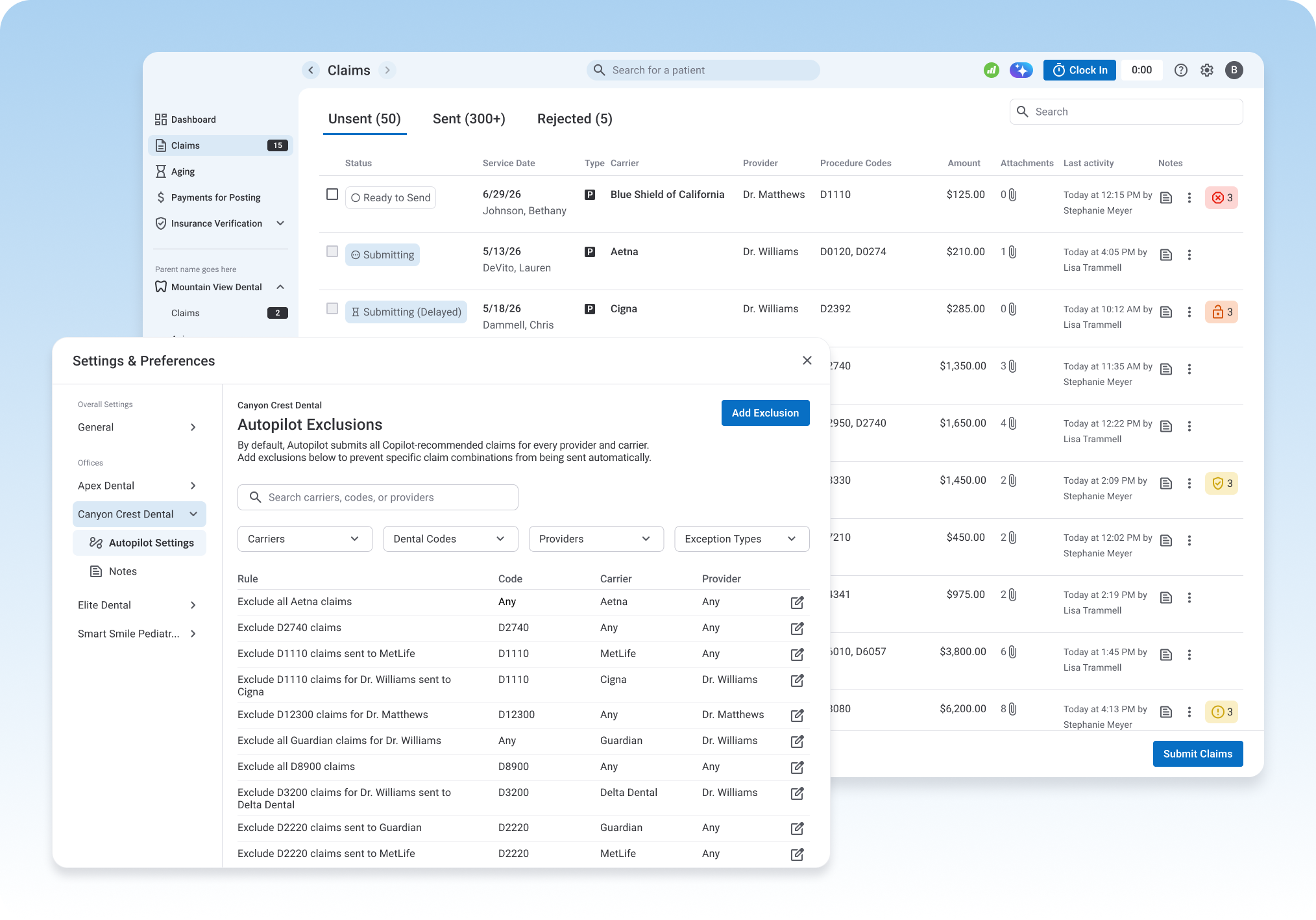
Before Autopilot, every claim — easy or hard — got the same treatment: a person manually reviewing it, attaching narratives, clinical notes, x-rays, and charts, then submitting it by hand. Most of that work wasn't judgment. It was repetition.
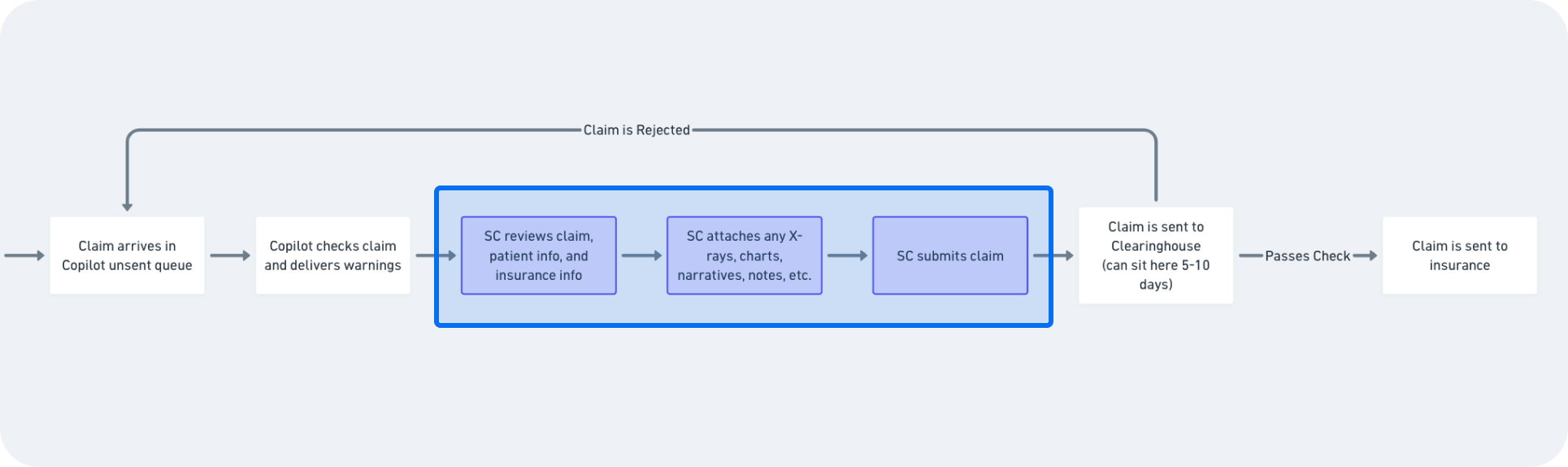
Every claim ran through the same manual review → attach → submit sequence, whether it came in through the clearinghouse queue or Copilot's own unsent queue — and a rejection sent it right back to the start.
Once a claim was submitted, billers had no way to know what happened next. A claim could sit for 5–10 days before it even cleared a basic check, and after that, three different things could happen — rejected, sent back for more info, or paid — with no signal to the biller about which. The only way to find out was to log into the carrier's portal and check manually, or call.
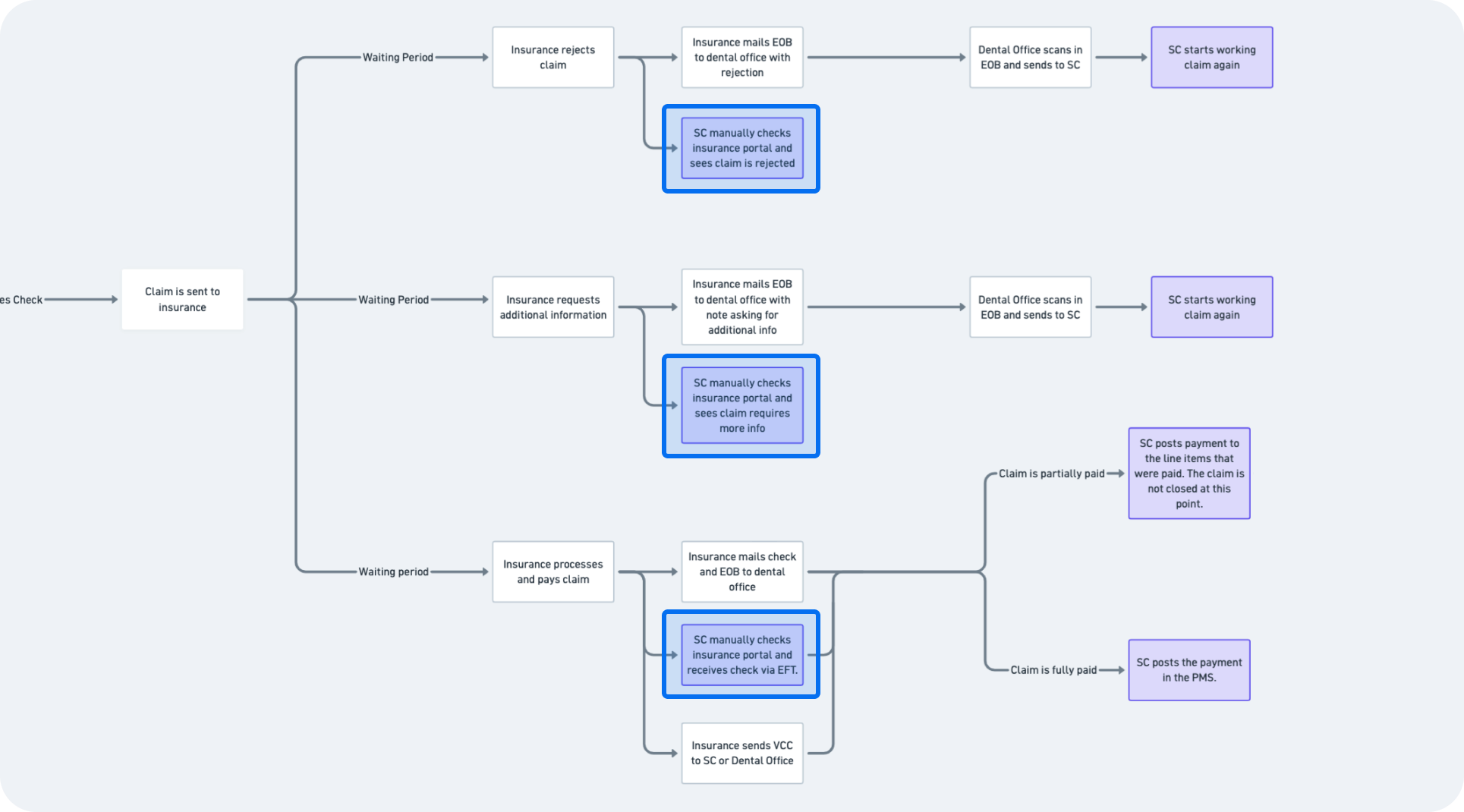
Three possible outcomes, and in every one, the only way to find out which happened was a biller manually checking the carrier's portal.
Automate the repetitive work so billers can focus elsewhere.
Shorten the path from submission to payment.
Get claims paid at the full rate.
Every insurance carrier has its own rules. There are hundreds of procedure codes, each requiring different documentation. The system had to handle all of that without becoming too complicated to use.


Every decision came back to these three principles.
Repetitive, low-risk claims moved through automatically — decisions that needed a person still went to a person.
Billers know their claims better than any system. We built around their judgment, not around replacing it.
Every point where a claim sat idle — a queue, a phone hold, an unclear status — was a target for removal.
Our first assumption was narrower than reality: billers needed a way to exclude specific claims from automatic submission — a given code, or a given carrier — so anything Autopilot shouldn't touch could be held back for manual review.
We shared this with billers before writing a line of production code.
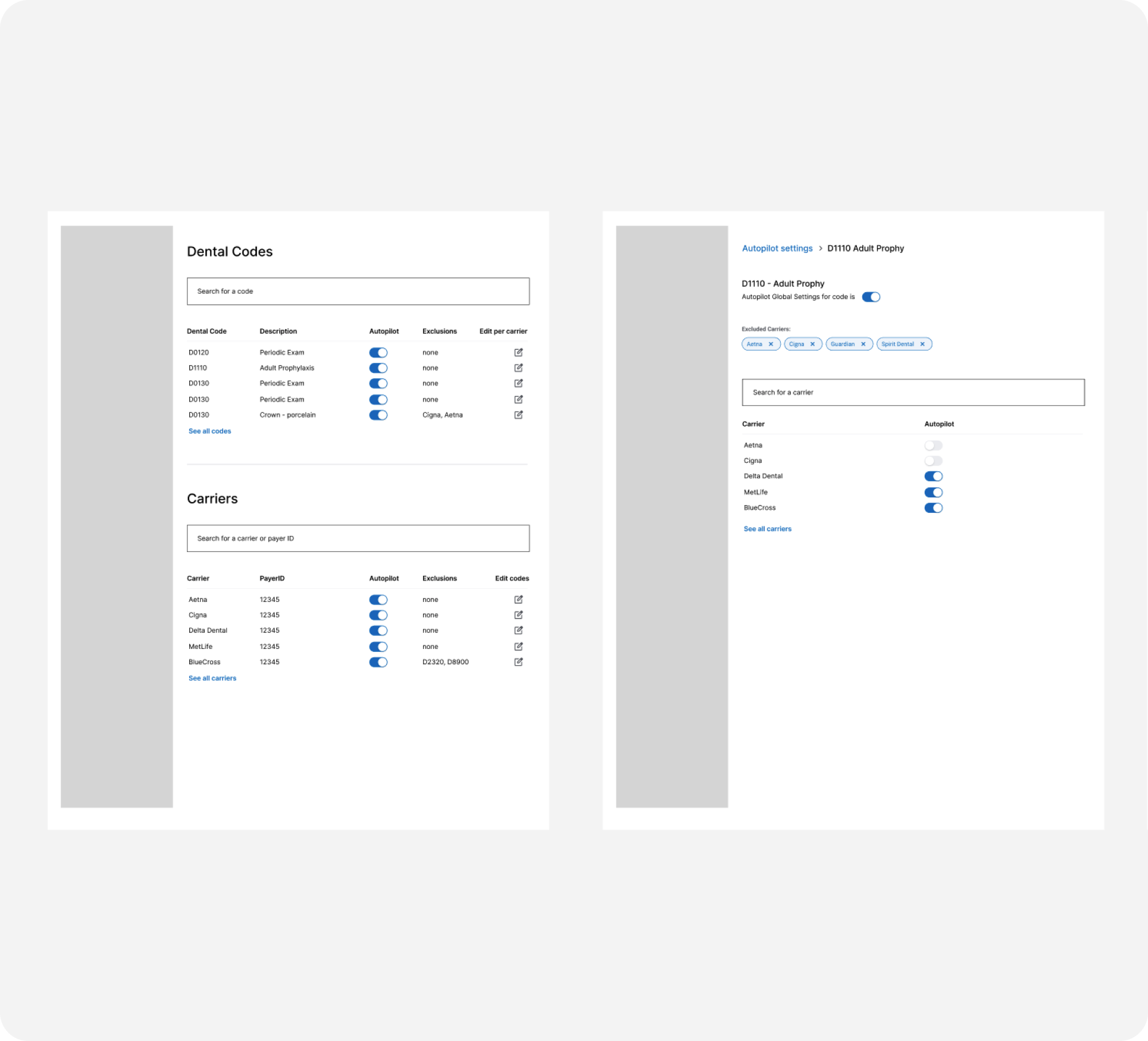
Even with billers in the room for every review, some needs don't surface until people have something concrete to react to.
In a routine weekly review call — not a special research session, and after a few earlier rounds where this hadn't come up — billers looked at the actual v1 screens and told us the two separate lists wouldn't cover how they really worked. They needed to combine code, carrier, and provider in one rule (this code, sent to this carrier, for this provider, gets denied unless we attach X) — knowledge only a power user builds from years of watching claims get rejected. V1 had no field for provider at all.
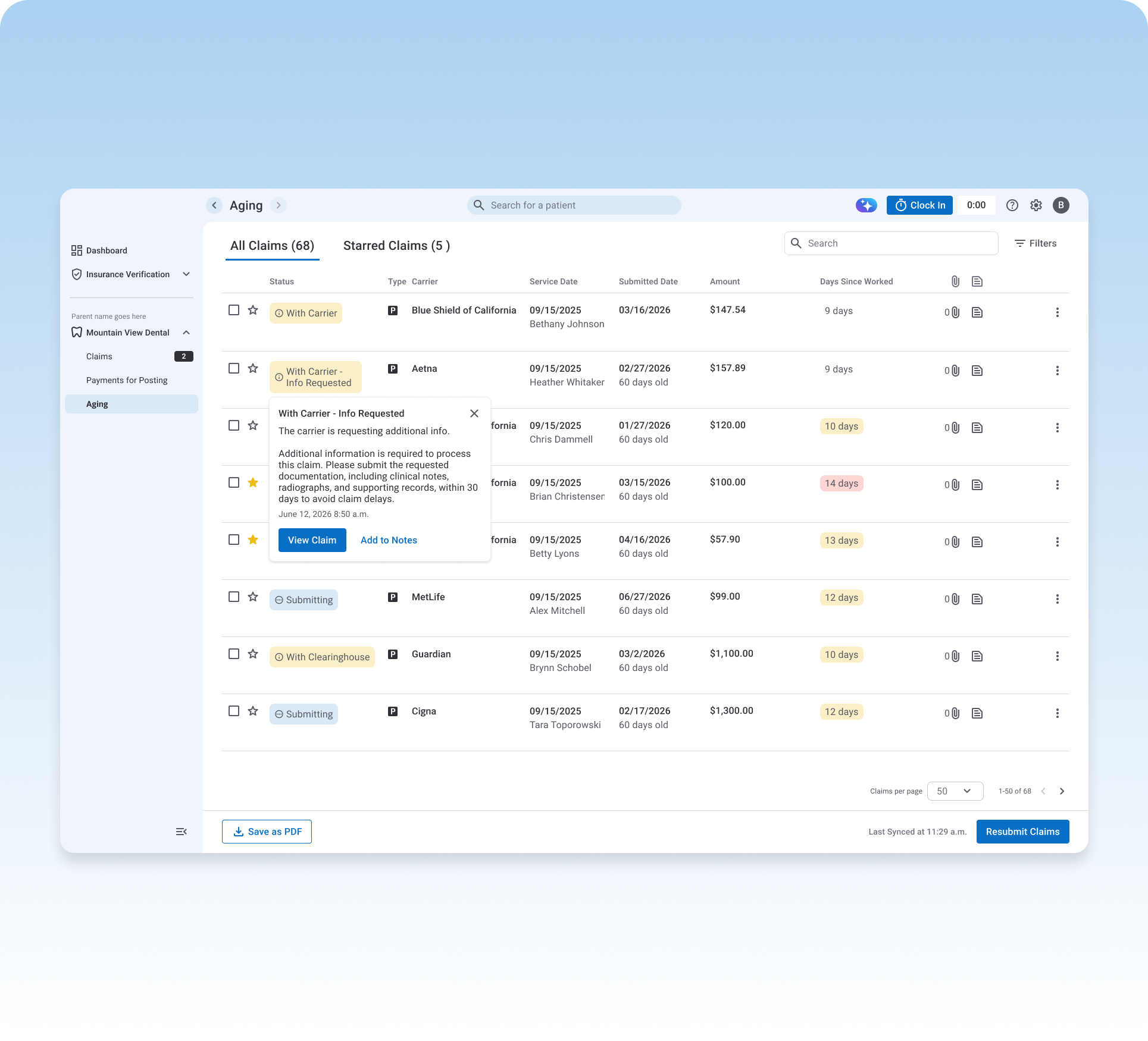
We scrapped the two-list model and replaced it with a single flat rules table, where each rule independently combines code, carrier, and provider — with "Any" available as a wildcard on each field.
This turned out to be the more important design decision in the whole project — not because it added a feature, but because it changed the underlying data model from two independent lists into a single expressive one, which is what let billers turn years of carrier-specific knowledge into something the system could act on automatically.
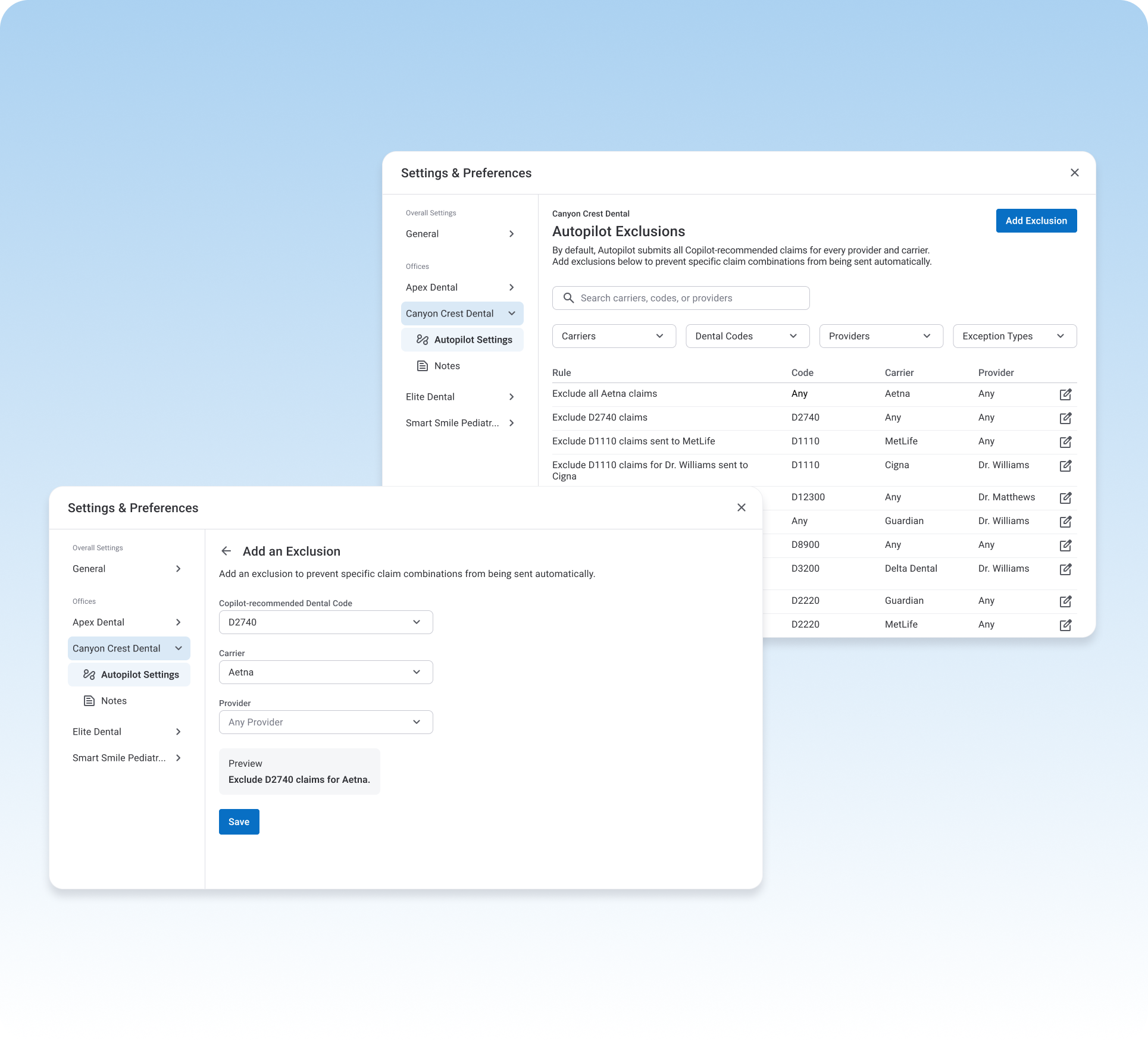
Not every claim needed a person's judgment. Autopilot automatically submitted claims that were ready to go — but billers could always see which claims were moving, and pause or stop any of them at any time.
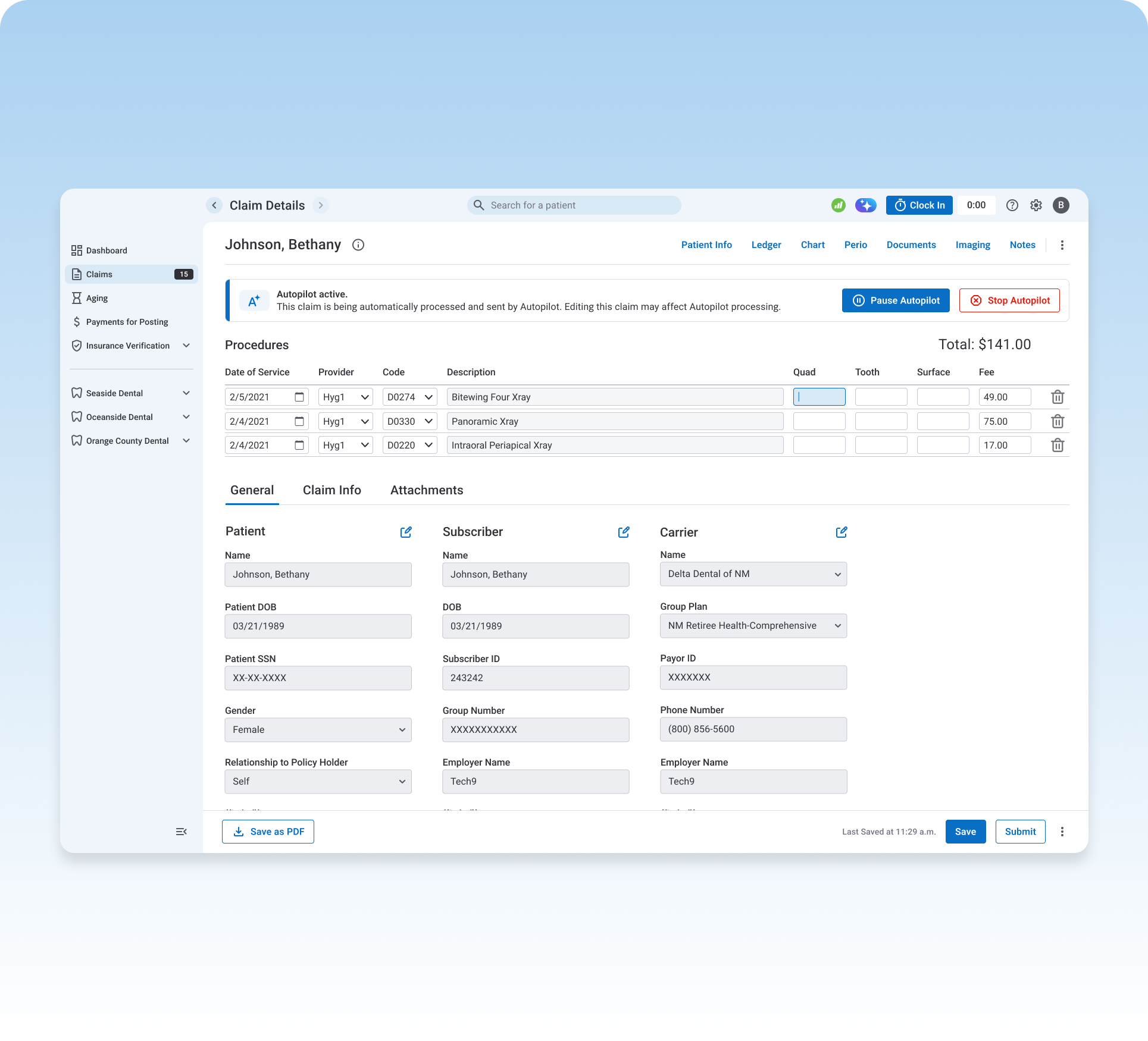
The biggest time waster after submission was not knowing what happened next — billers calling carriers just to ask "where's my claim?" We built automatic status updates that show exactly what's happening and when, including what a carrier needs if a claim gets stuck.
What changed once friction was removed from the process.
Time to first payment on claims submitted through Copilot, vs. outside it.
Source: Copilot / eAssist
Billers went from regularly calling carriers for status to almost never needing to.
Source: biller feedback, ongoing partnership
Fewer claims coming back rejected or paid at a reduced rate.
Source: eAssist product team
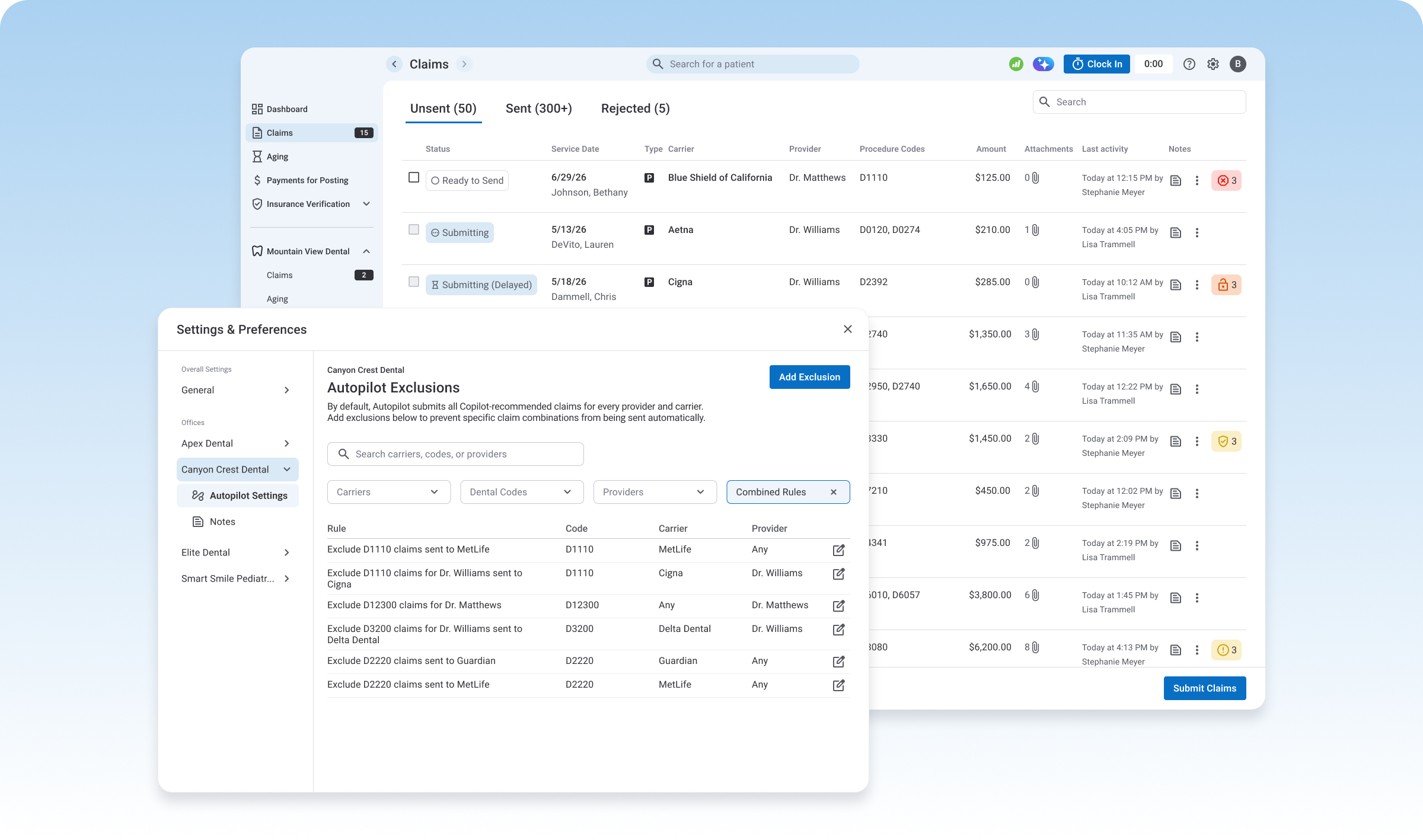
I went in thinking the hard part was building automation billers would trust. The harder part was getting the data model right — and that took being wrong once. V1 was a reasonable read of what I'd heard; it wasn't until billers reacted to it that the real requirement, compound rules across code, carrier, and provider, became clear. The rules engine is a better product because we built something wrong first and let power users tell us why.